Member Tags, Login with Telegram, Disable Sharing, GIF Editing, Date Formatting, Voting Timestamps


In today's update, we add tags to help group members show who they are, a setting to disable sharing messages in specific 1-on-1 chats, GIF editing and captions, new tools for signing up and logging in to apps and websites with Telegram — and more.
Member Tags
Members in group chats can now add a tag next to their name — to show their role at work, what they study in school, and more. This helps you introduce yourself in neighborhood chats or highlight your interests in online communities.
Admins can choose whether group members are able to set their own tags or if only admins can assign them. Member tags of group admins are always displayed in a different color to make their roles clear.
To allow members to set their tags in your group, go to Group Settings > Permissions and turn on 'Edit Own Tags'.
 Disable Sharing in Private Chats
In 2021, Telegram added content protection settings for groups and channels, which help communities and content creators make their posts more exclusive.
With today's update, users can now disable sharing in any 1-on-1 chat to foster an atmosphere of mutual trust. This restricts message forwarding and prevents screenshots or saving media from the chat.
To disable sharing in a chat, open a user's profile, tap ⋯ or ⋮ and select 'Disable Sharing'. This feature is currently available to users of Telegram Premium.
Captions for GIFs
When selecting a GIF in the GIF panel, you can now add a caption directly to it — and send it all as one message. Just like with other media, your caption can be placed above or below the GIF for perfectly formatted memes.
To add a caption, press and hold in the GIF panel and select 'Add Caption'.
Instant Stickers from Photos
Photos you open in the media viewer can now be converted to stickers in just one tap. These stickers can be edited to cut out objects, add text and emoji and more before sending.
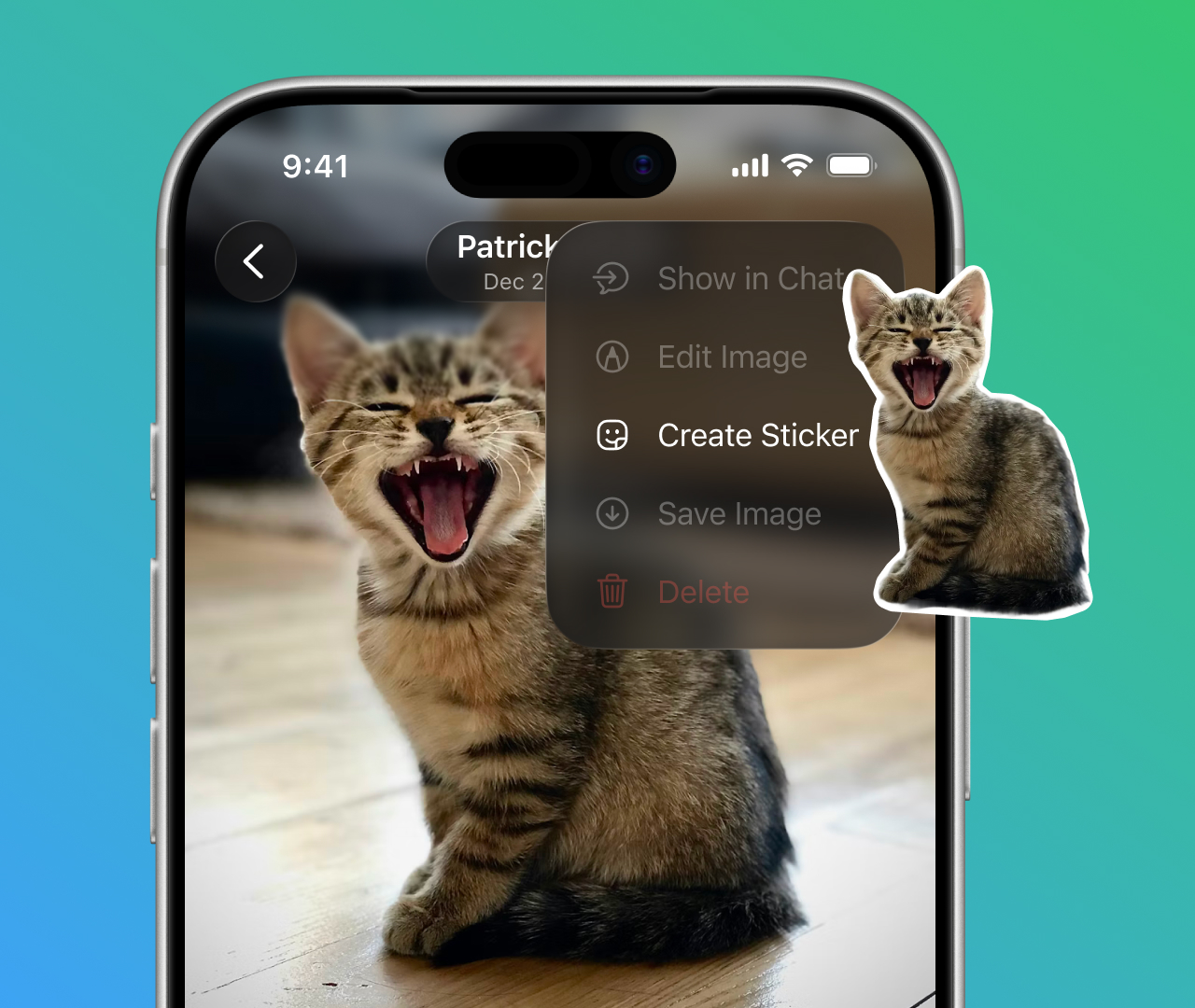
Stickers you create can be saved to your favorites or added to sticker packs.
Editing GIFs and Stickers
GIFs and stickers from the panel can now be edited in Telegram's powerful media editor — to add text, drawings and emoji, or to trim GIFs and change their length.
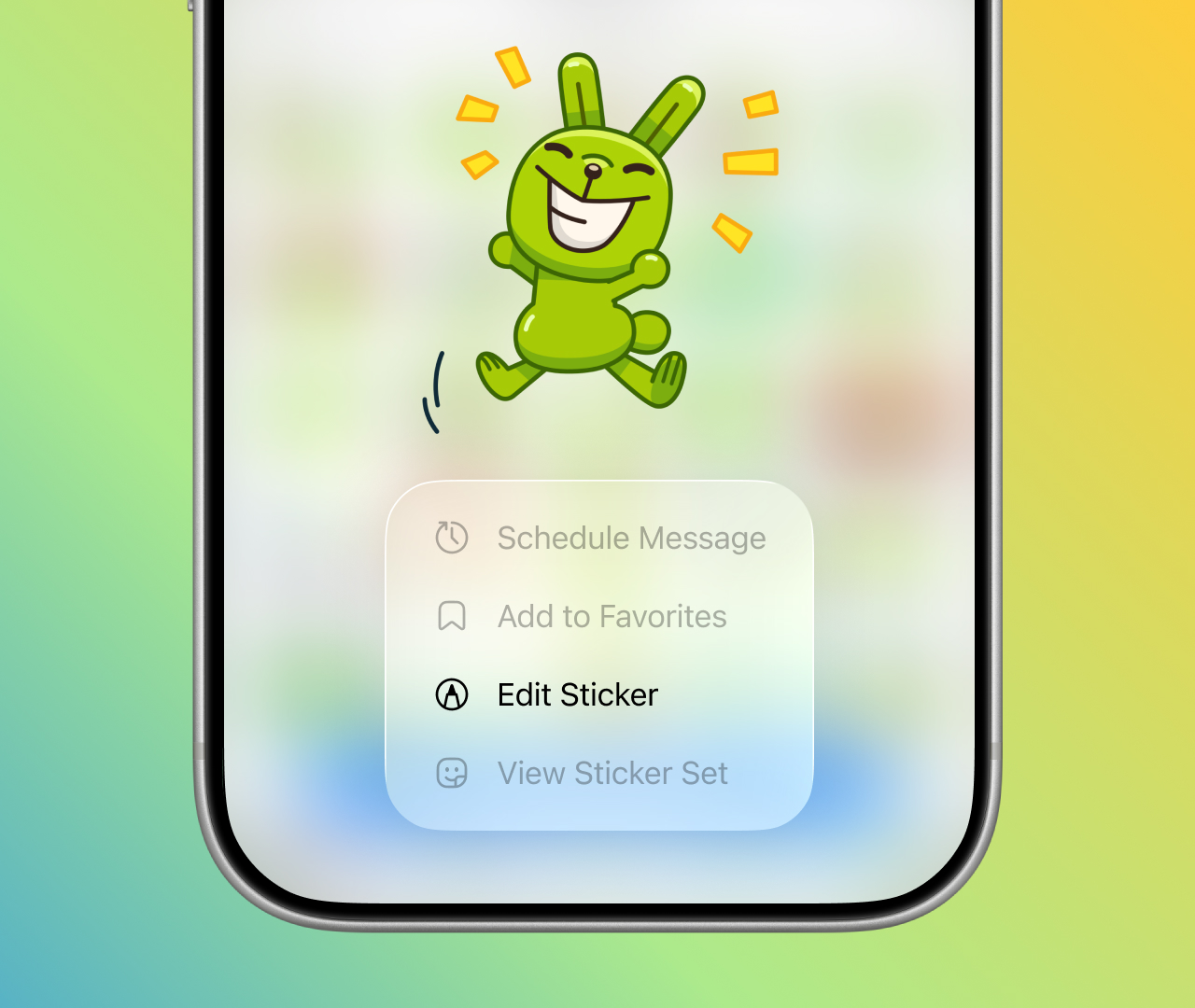
To edit a GIF or sticker in the panel, press and hold and select 'Edit'.
Timestamps for Polls
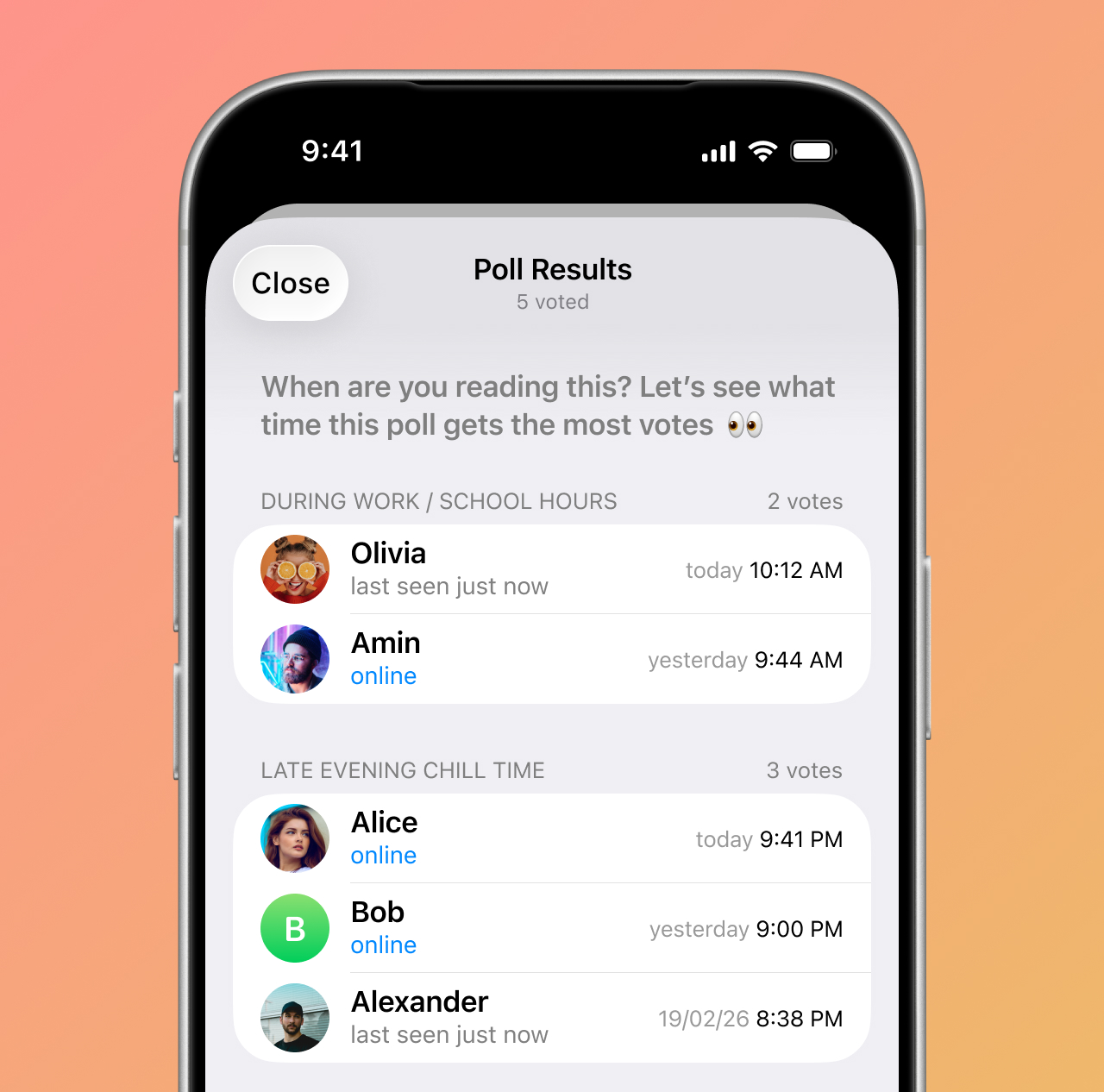
Polls with visible votes now show a timestamp for each user who voted, so participants can see when each vote was cast.
Streaming Responses for Bots
Last year we gave AI bots the ability to stream text as they generated a response. With today's update, every bot on Telegram can enable this feature — for satisfying replies that scroll across the screen.
Log In With Telegram
It’s now possible to use your Telegram account to sign up and log in to apps and websites in just a few taps — without filling out forms or creating passwords.
You can share your phone number to avoid extra verification steps. You can also let services message you on Telegram for convenient notifications.
Developers can find more information about how to integrate Log In With Telegram in this detailed guide.
Time and Date Formatting
You can use the new 'Date' formatting option to send a specific time and date in a message. Recipients can tap it to add an event to their calendar or set a quick reminder.
Date formatting automatically adapts to each recipient's local date and time — so no one has to do time-zone math.
Messages from bots can also utilize dynamic time variables to give users a precise date and time in a message, tailored to their time zone.
For all the recent updates to the Telegram Bot API, check the latest changelog.
Welcome to March. Spring updates are coming! 


March 1, 2026
The Telegram Team
Other News

Wiadomości powitalne, przyciski w wiadomościach i podpisane prezenty

Edytor bogatego tekstu, społeczności, tymczasowe wiadomości w grupach, 350 milionów GIFów

Aplikacje na smartwatche, bogato sformatowany tekst dla botów, opiekuni AI w grupach i znacznie więcej
